
How to update your subscription in the customer portal
Log in to your portal. Go to wholestix.com and click Login in the top menu, or go straight to the portal login page. Enter the email you subscribed with, then use the one-time password or your regular password.
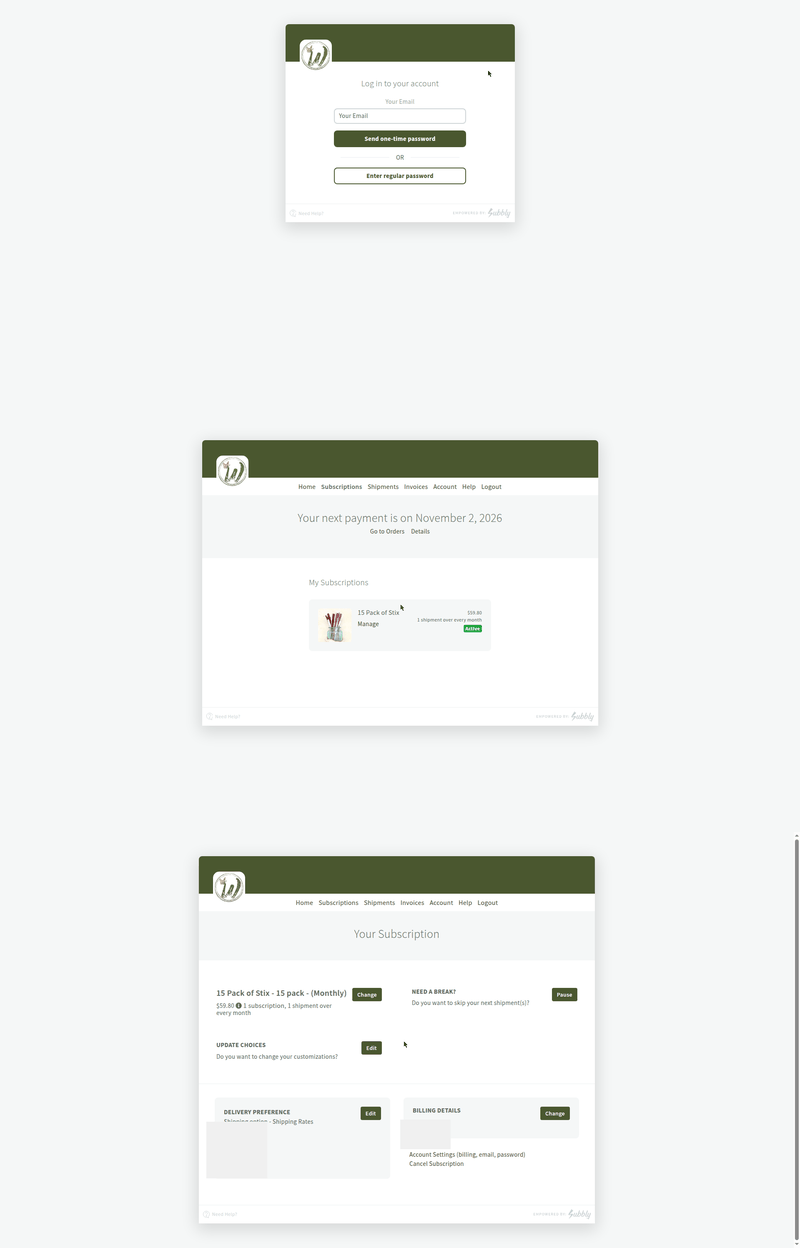
Click Manage on your subscription. On your Subscriptions page you will see your plan card. Click Manage to open everything you can change.
Your customer portal lets you change how often your Stix arrive, update your shipping address or payment card, and pause when you need a break. It takes about a minute. Here is how it works.
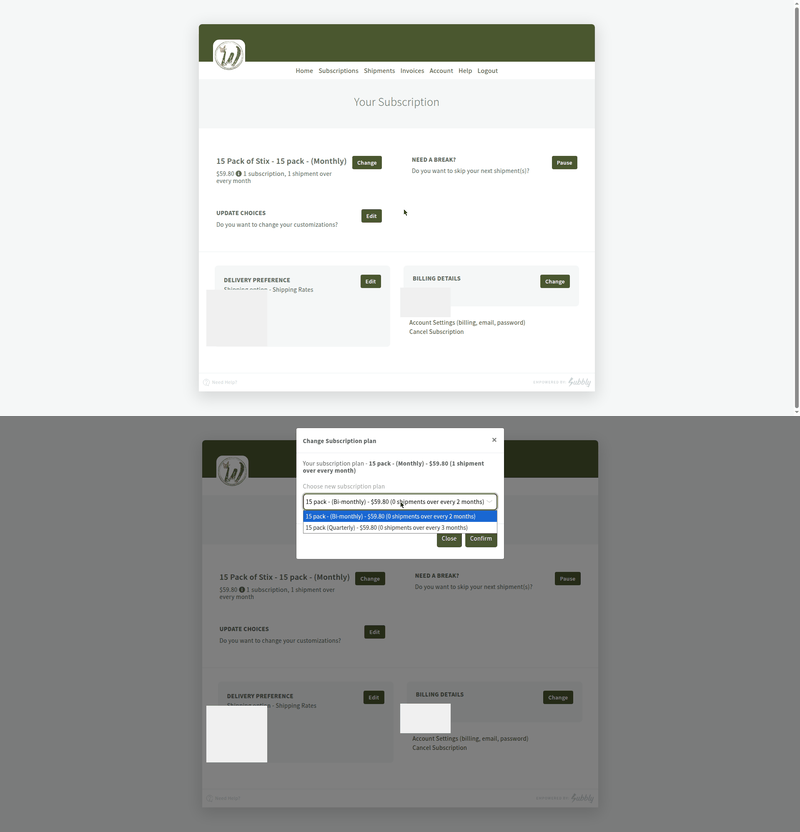
Change how often your Stix arrive. Click Change next to your plan name. Choose monthly, every 2 months, or every 3 months from the dropdown, then click Confirm. Your new schedule starts with your next renewal. Do not let the odd "0 shipments" wording in the menu throw you. Just pick the frequency you want.
Also on the same screen: Click Edit under Delivery Preference to update your shipping address, or Change under Billing Details to update your card.
“Need an upgrade? Switching pack size is quick and easy, but can’t be accessed through your portal. Email support@wholestix.com to claim your instant upgrade!”
Questions? Email support@wholestix.com and we will take care of it.